pfSense Firewall Lab (GNS3 + Docker)
Segmented network lab (WAN / DMZ / Admin / Internal) built in GNS3, using pfSense as the gateway and Docker containers as service nodes.
Goal
Build a small but realistic environment to practice segmentation and controlled service exposure. pfSense sits between zones so you can later add NAT, port forwards, and inter-zone policy.
Network plan (interfaces)
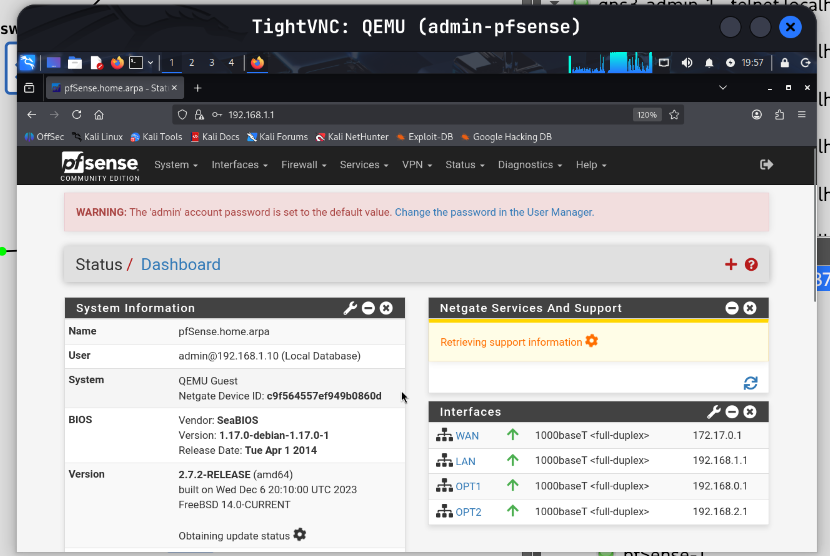
- WAN
em0:172.17.0.1/24(network172.17.0.0/24) - DMZ
em1:192.168.0.1/24(network192.168.0.0/24) - Admin
em2:192.168.1.1/24(network192.168.1.0/24) - Internal
em3:192.168.2.1/24(network192.168.2.0/24)
Services
- DMZ: DNS / Web / Mail / FTP (Docker)
- WAN: external client/attacker node (testing)
- Admin: workstation to manage pfSense
- Internal: PC1 / PC2
Topology
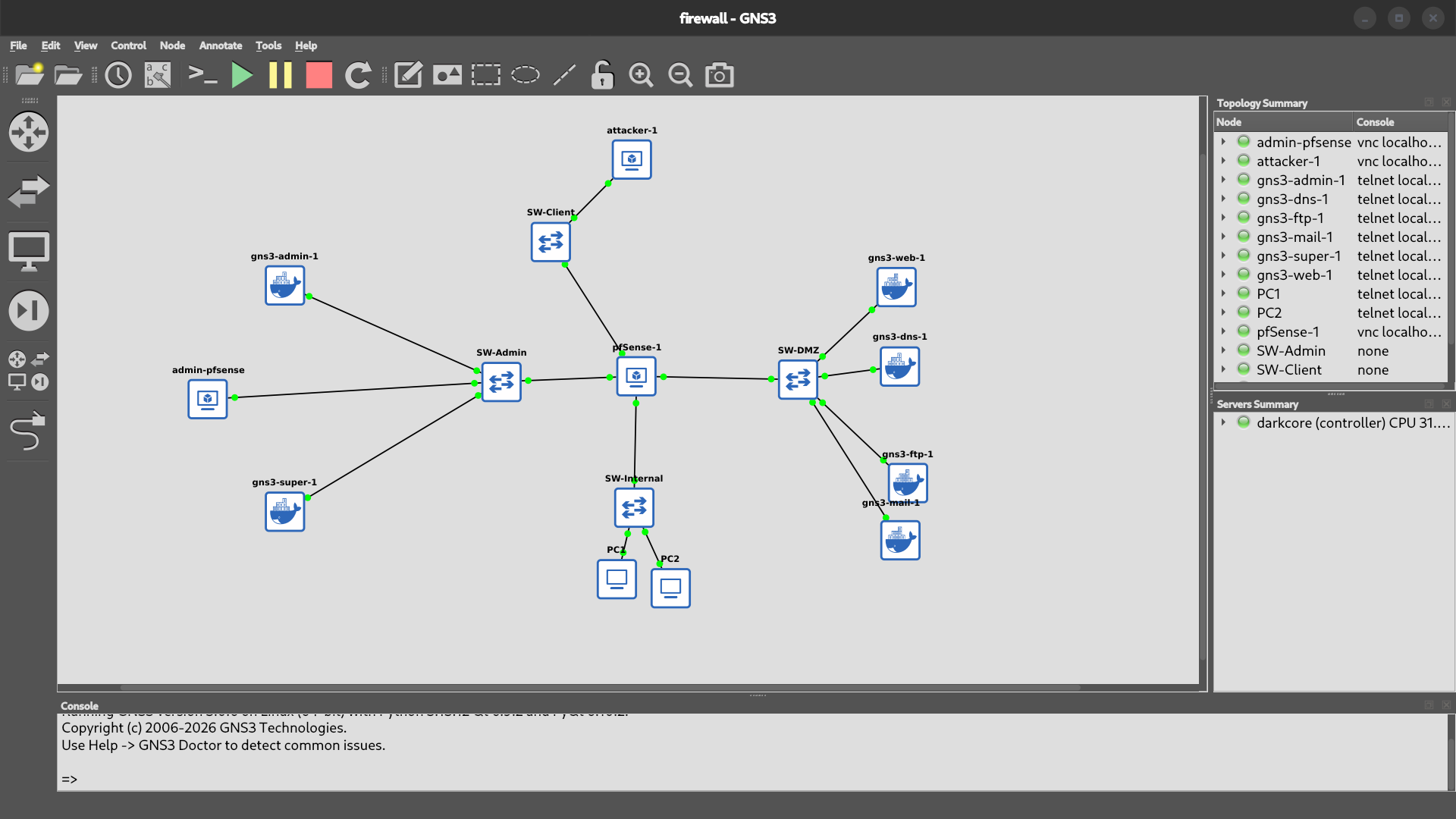
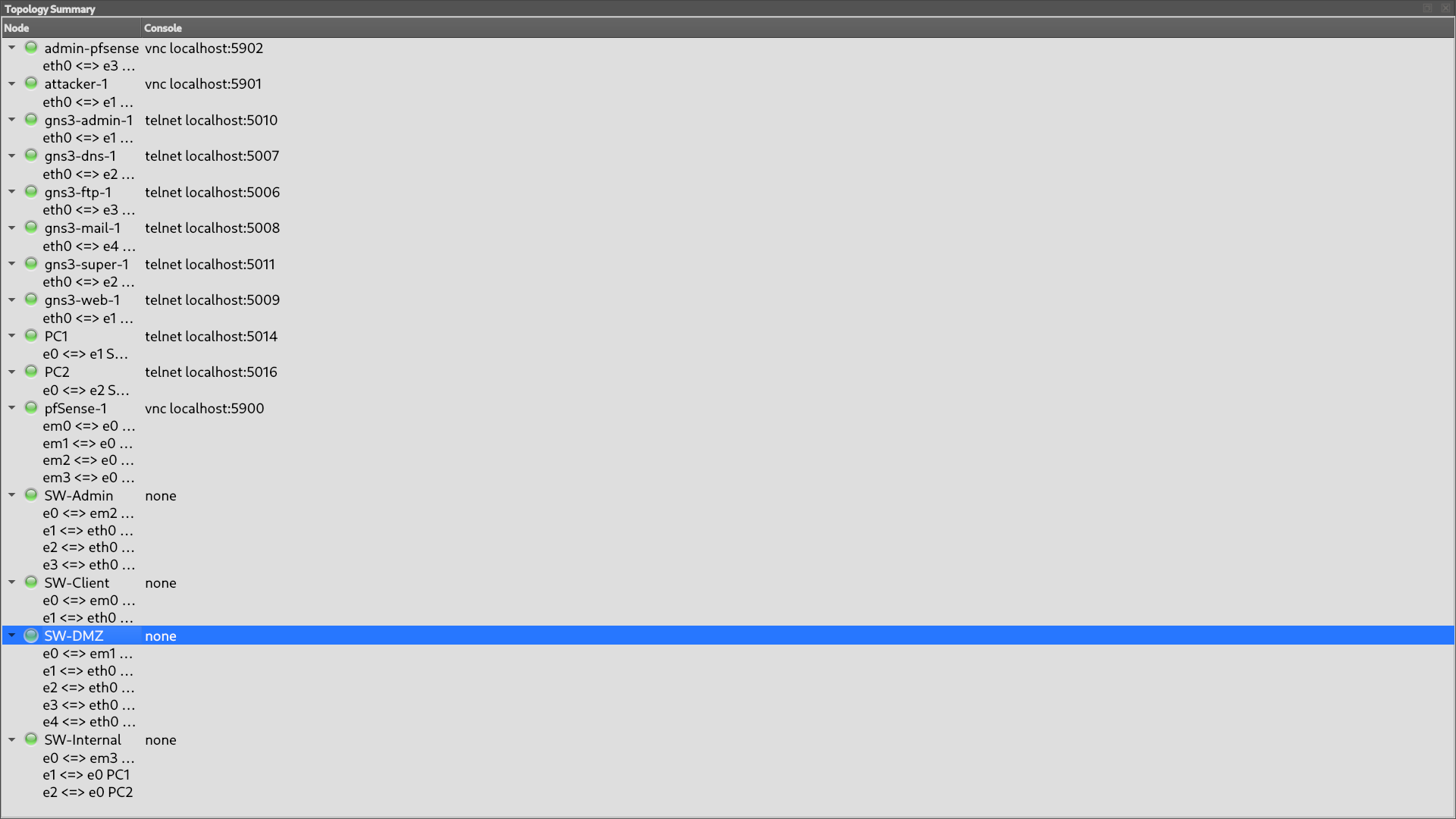
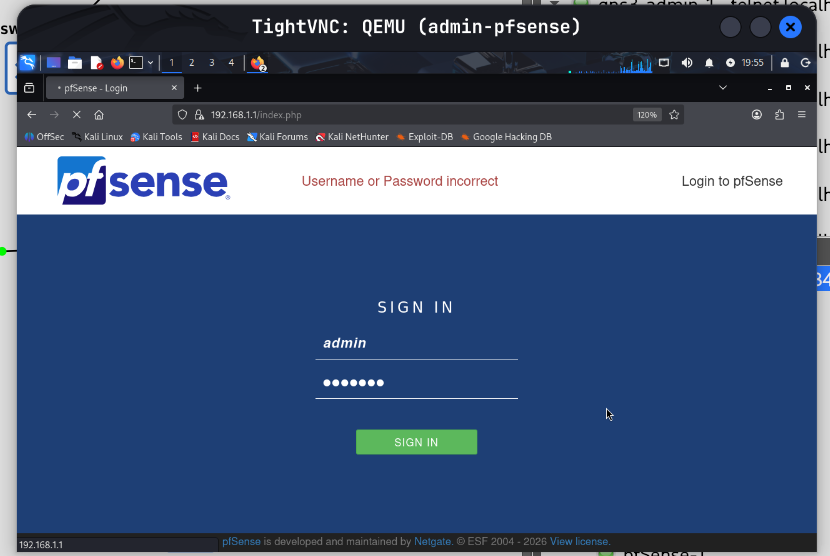
pfSense WebGUI
Run steps (short)
- Open GNS3 and import/open
gns3/firewall.gns3 - Verify pfSense + Docker integration in GNS3
- Build Docker images under
containers/(example:containers/dns) - Start the topology
Images are linked via
raw.githubusercontent.com so you don’t need to re-upload assets to your Pages repo.
If an image 404s, it means the filename/path changed in the lab repo.